Posts Categorized: Unvetted
Tab Unit 03
Shortcodes

Test Stick Anything 150px image [xp_get_posts category_id=’55’ use_image=’xp100′ show_excerpt=’true’ theme=’bitola’ include_date=’true’] Super Slider (with Ken Burns Style Effects) [xp_get_posts category_id=’51’ use_image=’xp100′ show_excerpt=’true’ theme=’bitola’ include_date=’true’] Super List Posts [xp_get_posts category_id=’50, -53′ use_image=’thumbnail’ show_excerpt=’false’ theme=’athens’] Stick Anything 100px image [xp_get_posts category_id=’55’ use_image=’xp100′ show_excerpt=’true’ theme=’bitola’ include_date=’true’] Shortcodes [xp_get_posts category_id=’45’ use_image=’xp100′ show_excerpt=’true’]
Tab Unit 04
(test post only) Tab Style Horiz Nav

Start Free Trial 30-days free! Signup in 60 seconds Sub 02 Sub 06 Go There! Click Me! [ezc_horiz_tab]Test Line of Code Second Test Line of Code
Photo Dropper
Bendin’ in the Wind Perhaps a very little thought will now enable you to account for those repeated whaling disasters—some few of which are casually chronicled—of this man or that man being taken out of the boat by the line, and lost. For, when the line is darting out, to be seated then in the… Read more »
Using the Easy Content Shortcode Slider

The xPanda slider uses the Nivo JavaScript engine. The design is responsive which means the displayed slider will resize itself if the browser size is changed. This makes it perfect for viewing on mobile phones, iPads or on a standard desktop computer.
Need a Wider Photo? Combine two images side by side with IrfanView
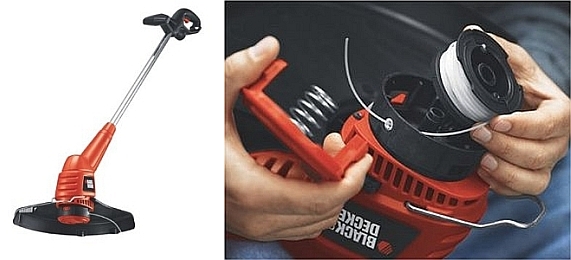
Do you need a wider photo to fit an area, but everything you want to use is too narrow? One easy solution is to combine two or more photos side by side. You can do this easily using the free IrfanView programs’s Create Panorama feature.
Take Total Control of Displaying Posts With the xPanda Plugin

Here’s a better way to show listings of your posts. Show css styled lists by category, tag, etc. Specify the number of posts or split the display to display posts in sections. This powerful plugin gives you complete control.
Tab Units – Nav Menu Multiple Page
Example: [ezc_nav_tabs id=’Test’ theme=’default’] [/ezc_nav_tabs] Examples of the different styles and options available in the Easy Content Tab Plugin: Minimal Blue
Recent Comments